
Download Cigati PST to Gmail Migration Tool – Free, Secure & Easy Email Migration for Windows
Looking to migrate your Outlook PST files to Gmail without hassle? The Cigati PST to Gmail Migration Tool is a free, secure, and reliable Windows application designed to simplify the process of transferring email data from local PST files to your Gmail account. Whether you're switching email platforms, upgrading systems, or backing up important emails, this tool offers a straightforward solution.
With a clean, intuitive interface and minimal technical requirements, Cigati makes it easy for both beginners and advanced users to move their Outlook data to Gmail in just a few clicks. No coding or complex configurations required—just open the tool, select your PST file, choose your Gmail account, and let the migration begin. It supports multiple PST formats, including those from older versions of Microsoft Outlook, ensuring broad compatibility.
The software runs smoothly on Windows 7, 8, 10, and 11, making it accessible to a wide range of users. With a focus on data integrity and security, Cigati ensures that your emails, contacts, calendars, and attachments are transferred accurately and without corruption. Whether you're an individual user, small business owner, or IT administrator, this free tool delivers professional-grade results without the cost.
Key Features of Cigati PST to Gmail Migration Tool
The Cigati PST to Gmail Migration Tool stands out with a suite of powerful yet user-friendly features tailored for seamless email migration. One of its most notable features is direct PST-to-Gmail integration, allowing users to transfer entire Outlook data sets—including emails, contacts, calendars, tasks, and notes—without manual intervention. The tool supports both single and multiple PST files, enabling bulk migration for users managing large volumes of data.
Another standout feature is automatic folder mapping, which intelligently organizes your migrated emails into corresponding Gmail folders, preserving your original structure. This ensures that your inbox stays organized and easy to navigate post-migration. The software also includes a preview function, letting you review emails and attachments before migration, which adds a layer of control and confidence.
For added security, Cigati uses encrypted connections during the transfer process, protecting your sensitive data from unauthorized access. It also supports OAuth 2.0 authentication for Gmail, eliminating the need to share your password and enhancing account security. Users can schedule migrations or run them manually, giving flexibility for different workflows.
The tool is lightweight, consumes minimal system resources, and operates without requiring additional software installations. With a simple, step-by-step wizard, even non-technical users can complete the migration process in under 15 minutes. These features combine to make Cigati a top choice for anyone seeking a reliable, free, and efficient way to move Outlook data to Gmail.
How to Install and Use Cigati PST to Gmail Migration Tool
Getting started with the Cigati PST to Gmail Migration Tool is quick and hassle-free. First, download the free software from the official Cigati website. Ensure you're downloading from a trusted source to avoid malware or unauthorized versions.
Once downloaded, run the installer file (typically a .exe file) and follow the on-screen prompts to complete the installation. The process takes less than a minute and doesn’t require admin rights on most systems. After installation, launch the application from your desktop or Start menu.
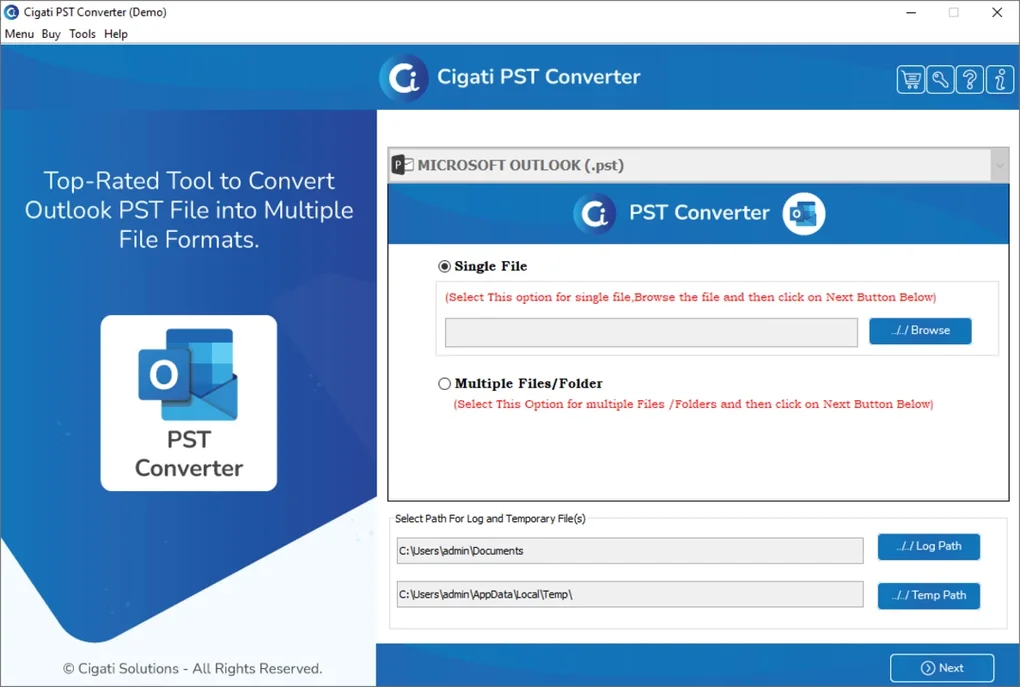
The main interface is clean and intuitive, featuring a step-by-step migration wizard. Begin by clicking “Add PST File” and browse your computer to locate the PST file you want to migrate. The tool supports both local and networked PST files, so you can access files stored on external drives or shared folders.
Once the file is loaded, the software will scan and display a preview of all folders and emails. Next, click “Connect to Gmail” and follow the OAuth 2.0 authentication process. This secure method requires you to sign in to your Gmail account and grant limited access permissions—no password sharing involved.
After successful authentication, select the target Gmail folder (or let the tool auto-map folders) and choose whether to migrate all data or specific folders. Finally, click “Start Migration” and monitor the progress in real time. The tool provides a detailed log of the migration, including success/failure counts.
Once complete, you’ll receive a confirmation message. You can then verify your Gmail inbox to ensure all data has been transferred correctly. For future use, you can save migration profiles to speed up repeat transfers.
Compatibility and System Requirements
The Cigati PST to Gmail Migration Tool is specifically designed for Windows operating systems, ensuring full compatibility with Windows 7, 8, 8.1, 10, and 11 (both 32-bit and 64-bit versions). It does not currently support Mac, Android, or iOS platforms, so users on non-Windows devices will need alternative solutions. The software has minimal system requirements, making it accessible even on older machines.
It requires at least 1 GB of RAM, 500 MB of free disk space, and a stable internet connection for Gmail synchronization. The tool is optimized to run efficiently without consuming excessive CPU or memory, so it won’t slow down your system during migration. It also works with all major versions of Microsoft Outlook, including Outlook 2003, 2007, 2010, 2013, 2016, 2019, and Microsoft 365, which means you can migrate data from legacy systems or newer installations alike.
The application does not require Microsoft Outlook to be installed to function, which is a significant advantage for users who no longer have Outlook on their system. For security, the tool uses HTTPS encryption and OAuth 2.0, ensuring your Gmail credentials are never stored locally. It’s also safe to use with encrypted PST files—though you may need to provide a password if the file is protected.
Overall, the tool is lightweight, fast, and reliable, making it a go-to choice for Windows users looking for a free, secure, and efficient way to transfer Outlook data to Gmail.
Pros and Cons of Cigati PST to Gmail Migration Tool
- Pros:
- Free to download and use with no hidden fees
- Simple, intuitive interface suitable for beginners
- Supports multiple PST formats and large files
- Secure OAuth 2.0 authentication for Gmail
- Preserves folder structure and email metadata
- Preview before migration for data verification
- Lightweight and fast performance
- Regular updates for improved stability and compatibility
- Cons:
- Only available for Windows (no Mac, iOS, or Android support)
- Does not support PST files larger than 4 GB without splitting (due to Outlook limitations)
- No built-in backup feature before migration
- Customer support is limited to email and FAQs (no live chat)
- Advanced users may find fewer customization options compared to paid tools
Frequently Asked Questions (FAQ)
-
Is Cigati PST to Gmail Migration Tool free to use?
Yes, the Cigati PST to Gmail Migration Tool is completely free to download and use. There are no trial periods, subscription fees, or hidden charges. The software is offered as a free utility to help users migrate Outlook PST files to Gmail without cost.
-
Can I migrate encrypted PST files using this tool?
Yes, the tool supports encrypted PST files. When you attempt to load an encrypted file, the software will prompt you to enter the password. Once entered, the migration process will proceed as normal.
-
Does the tool support bulk migration of multiple PST files?
Yes, you can add multiple PST files at once and migrate them in a single session. The tool allows you to select several files from your system and process them sequentially, saving time and effort.
-
Is my Gmail password stored on my computer?
No, your Gmail password is never stored on your computer. The tool uses OAuth 2.0 authentication, which grants temporary access to your Gmail account without requiring you to enter your password directly.
-
Can I use this tool on Windows 11?
Yes, the Cigati PST to Gmail Migration Tool is fully compatible with Windows 11, as well as Windows 10, 8, 8.1, and 7. It has been tested and optimized for all these platforms.
Conclusion: A Reliable Choice for Free PST-to-Gmail Migration
If you're searching for a free, secure, and efficient way to migrate Outlook PST files to Gmail, the Cigati PST to Gmail Migration Tool is an excellent choice. With its intuitive interface, strong security protocols, and support for multiple PST formats, it delivers a seamless experience for users of all skill levels. While it’s currently limited to Windows, its performance, reliability, and zero cost make it a standout option in the crowded field of email migration tools.
Whether you're transferring personal emails or managing business data, this tool ensures your information is transferred accurately and safely. For users who value simplicity, security, and cost-effectiveness, Cigati offers a powerful solution without compromise. Download the Cigati PST to Gmail Migration Tool today and take the first step toward a clutter-free, cloud-based inbox.







